QR Codes
QR codes can be used as Zaparoo tokens, just like an NFC tag. A QR code can store ZapScript directly, and Zaparoo runs that ZapScript when the code is scanned.
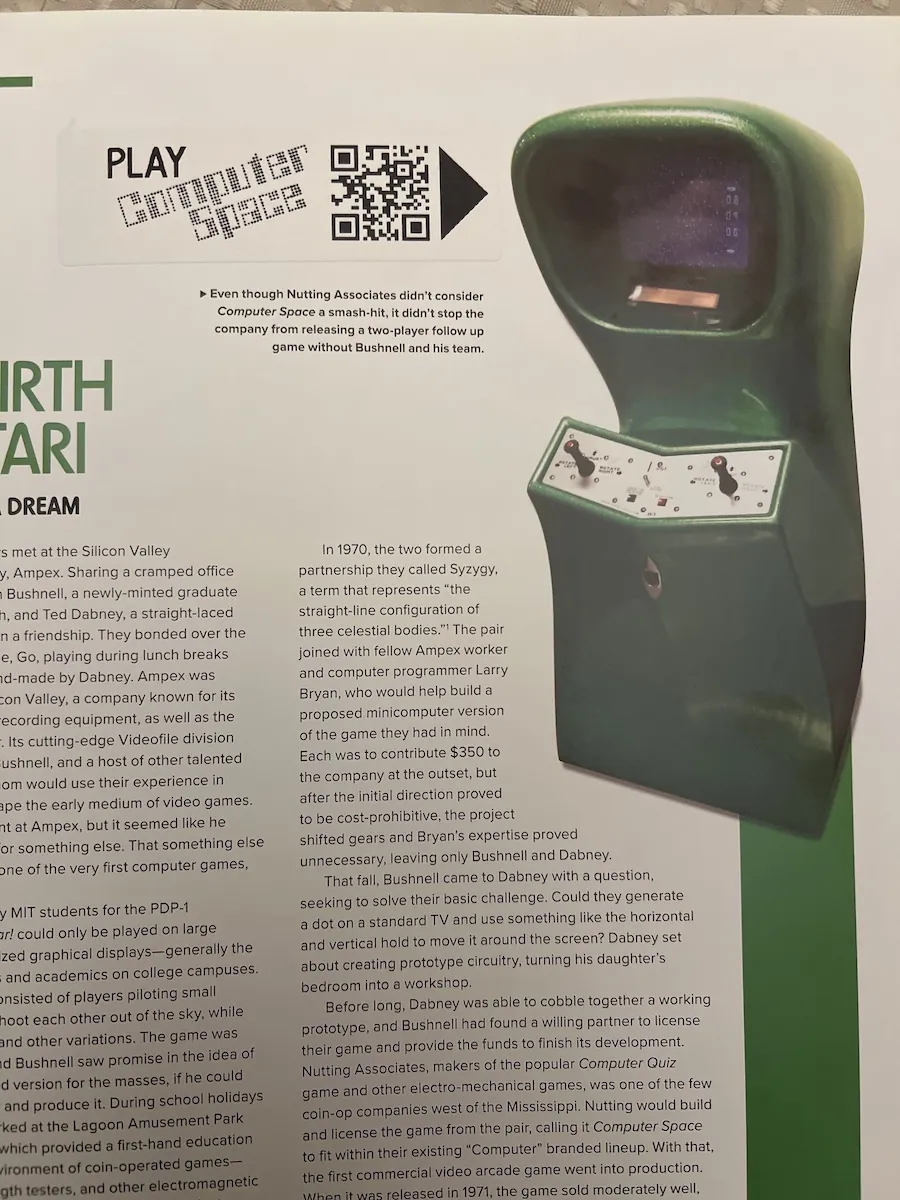
Elphive added Zaparoo launch codes to a retro gaming book and shared the result in the Showcase gallery.
QR code generator
Use the generator below to create QR codes with your ZapScript:
You can also use a standard QR code generator. Paste the ZapScript into the generator's text field and disable link tracking if the generator offers it.
Zaparoo App
The Zaparoo App can scan QR codes with your phone's camera. If Pro Launch on scan is enabled, the app sends the scanned ZapScript to Zaparoo Core over WiFi. This avoids hard-coding your Core device's IP address into every QR code.
Examples
Launch a random Genesis game
**launch.random:genesis
Exit to the menu
**launch.system:menu
Launch Metal Slug for Neo Geo
NeoGeo/mslug.zip
Phone camera URL
You can also make a QR code that opens Zaparoo Core's launch endpoint directly from a normal phone camera app. Use this format:
http://<IP ADDRESS>:7497/run/<ZAPSCRIPT>
Replace <IP ADDRESS> with your Core device's IP address and <ZAPSCRIPT> with the ZapScript you want to run. When your phone opens the URL, Core treats it like a token scan.
Phone-camera URLs depend on your Core device's IP address. If the IP address changes, you need to update the QR codes.
Remote launch requests also need to be allowed by Core's allow_launch config setting. If you do not want to enable remote launch URLs, use the Zaparoo App scanning option instead.
Examples
Launch a random Genesis game
http://192.168.0.123:7497/run/**launch.random:genesis
Exit to the menu
http://192.168.0.123:7497/run/**launch.system:menu
Launch Metal Slug for Neo Geo
http://192.168.0.123:7497/run/NeoGeo/mslug.zip