PN532 USB
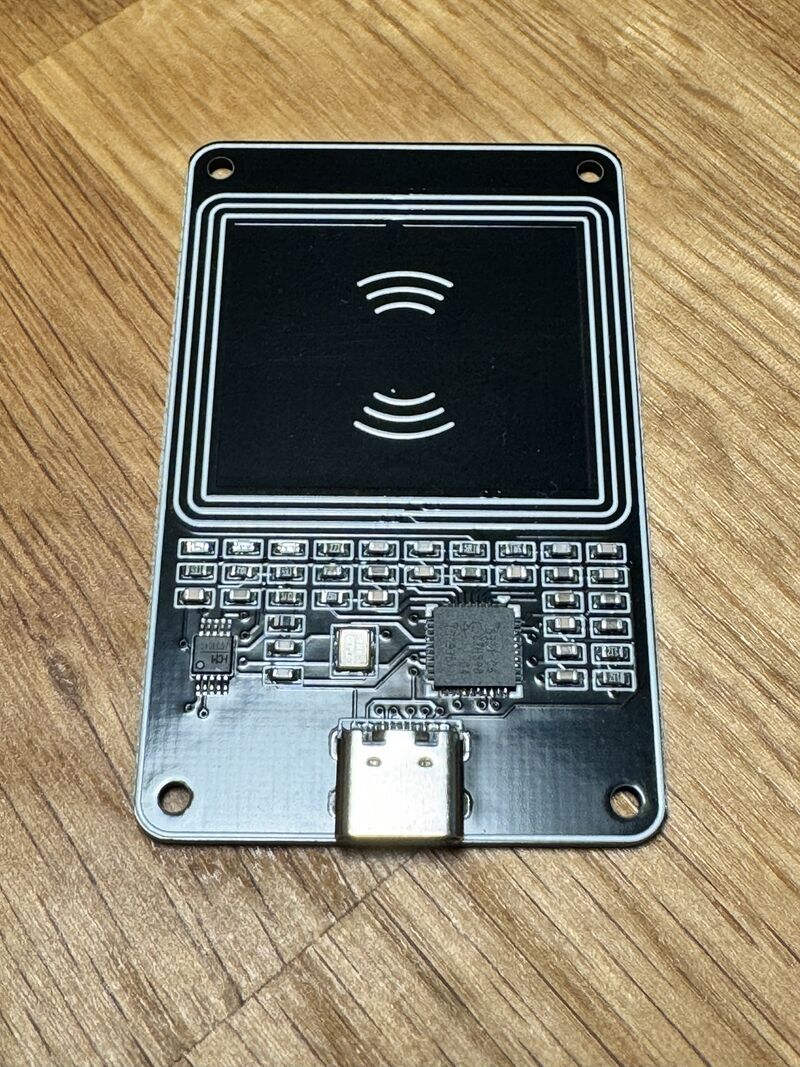
The PN532 USB is the ready-to-use NFC reader option for Zaparoo. It connects over USB serial, scans supported NFC tags and cards, and can write tokens through Zaparoo.
This is the reader stocked in the Zaparoo Shop. Official hardware purchases support development.
Platforms
Configure the reader
Zaparoo Core auto-detects PN532 USB readers by default. In most setups, connect the reader to a normal USB port, start Core, and scan a tag.
If auto-detection does not find it, add the serial port to your config.toml. Use the pn532uart driver for USB serial modules.
Use the serial device or COM port assigned by your operating system.
Linux-based platforms usually expose the reader as /dev/ttyUSB0 or /dev/ttyACM0:
[[readers.connect]]
driver = "pn532uart"
path = "/dev/ttyUSB0"
On Windows, use the COM port shown in Device Manager:
[[readers.connect]]
driver = "pn532uart"
path = "COM3"
On macOS, use the matching /dev/cu.* device:
[[readers.connect]]
driver = "pn532uart"
path = "/dev/cu.usbserial-1234"
Platform notes
MiSTer
On MiSTer, use one of the normal USB ports. The SNAC/USER port looks like USB, but it is not a standard USB port and will not work for NFC readers.
Windows
PN532 USB readers use a USB serial driver on Windows. If Windows does not create a COM port for the reader, install or reinstall the driver.
You can download the CH340 driver (ZIP) or CH340 driver (EXE). The SparkFun CH340 installation guide has driver install steps if you need them.
Linux-based platforms
Desktop Linux users may need to add their account to the dialout group before Core can open the serial port:
sudo usermod -a -G dialout $USER
Log out and back in after changing groups.
macOS
The PN532 USB reader is supported on macOS. If auto-detection fails, configure the /dev/cu.* serial device manually.
Troubleshooting
Reader not detected
Check these first:
- Use a USB cable that supports data, not a charge-only cable.
- Try a different normal USB port. On MiSTer, do not use the SNAC/USER port.
- Check that the reader appears as a serial device or COM port.
- On Linux-based platforms, check serial port permissions.
- On Windows, install or reinstall the CH340 driver if no COM port appears.
- Enable
debug_logging = trueinconfig.toml, restart Core, and check the logs for PN532 detection attempts.
Slow or inconsistent scanning
Keep the reader away from metal surfaces and other electronics. If it is connected through a hub, test it directly on the host device.
Where to buy
Buying from the Zaparoo Shop directly supports the project and includes a case.
Original hardware:
- Elechouse - Official PN532 USB module
Other modules are usually listed as PN532 Type C or PCR532: